The easiest way to make MDF cabinet doors on a CNC is to cut each door as one solid piece from a sheet of MDF. No rails and stiles to glue up, no panels to fit. The machine carves the profile right into the face, cuts the door out, and you go straight to sanding and paint.
I run a one-man cabinet shop, The Homestead Workshop, and every door on this page came off my own machine. Here's how I do it.
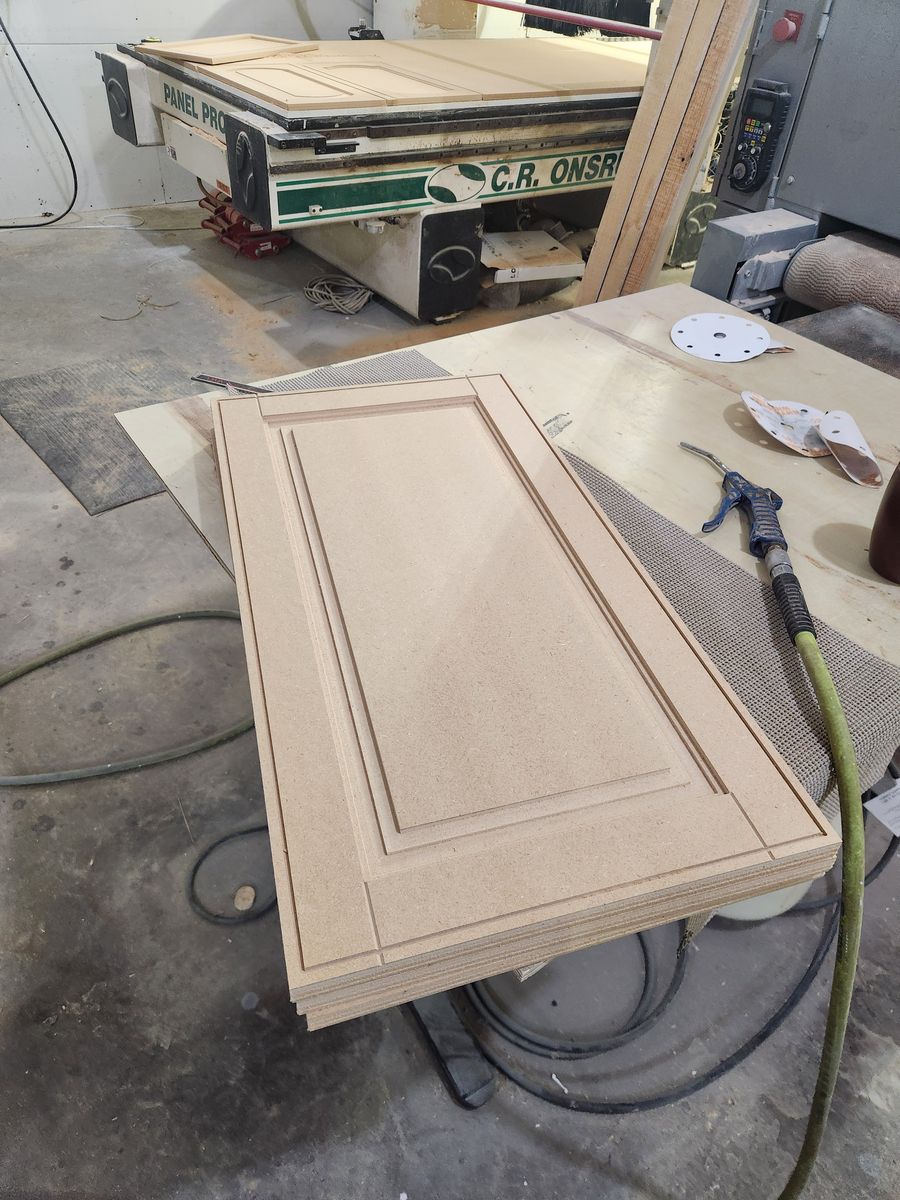
Why MDF is the easy route
- One piece, no glue-ups. A five-piece door means cutting, fitting and clamping five parts. An MDF door is one part.
- It machines clean. No grain to tear out, so profiles come off crisp in any direction.
- It stays flat and stable. No wood movement, no panels rattling in a groove.
- It paints beautifully. Once the edges are sealed, MDF takes paint smoother than most hardwoods.
- It's cheap and easy to get. Every lumberyard stocks it.
The tradeoff: MDF is for painted doors. If your customer wants stained wood, this isn't the route.
The bits you actually need
You don't need a wall of tooling. For most door styles it comes down to four jobs:
- A flat end mill to clear out the recessed panel area.
- A profile bit for the panel edge shape (cove, ogee, raised panel and so on).
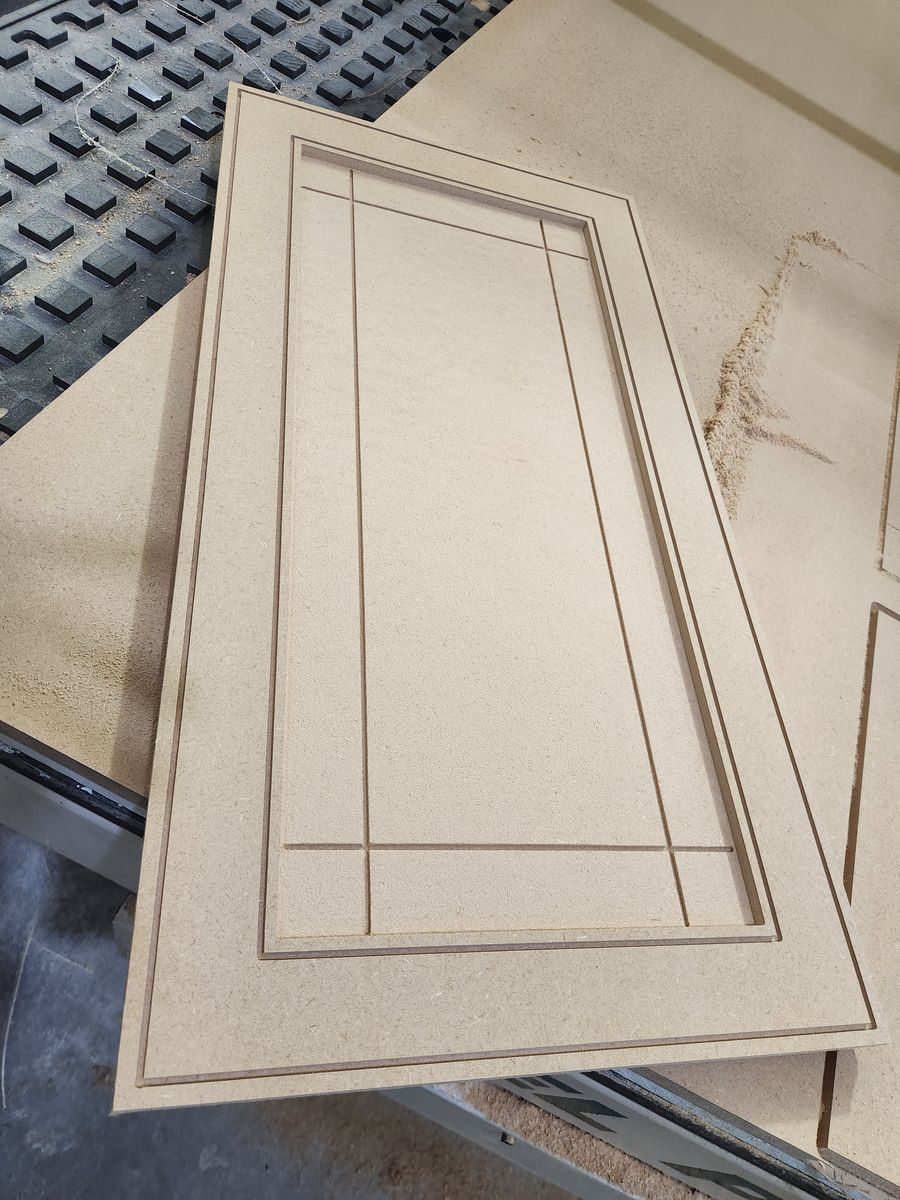
- A V-bit for crisp inside corners and decorative grooves, like the beadboard lines further down.
- A cutout bit to cut the door free from the sheet.
The exact bits change with the style. Pick the profile first, then let it tell you the tooling.
Design, nest, cut: the three steps
- Design the doors. Pick a style, enter your sizes, and choose your edge, frame and panel profiles.
- Nest them on the sheet. Lay the doors out on a 4x8 sheet with enough space between them for the cutout bit. A tight nest is real money on a kitchen job.
- Cut. Run the toolpaths in order: panel clearing, profiles, details, then the cutout last so every door stays held down while it's being carved.
Pull the doors, knock off any fuzz with a light sanding, seal the edges, and they're ready for primer.
Mistakes to avoid
- Cutting too deep on the cutout. Set the cutout depth to your actual sheet thickness, measured, not the label. MDF sold as 3/4" often isn't, and every extra bit of depth chews up your spoilboard.
- Weak hold-down. Small doors can shift once they're nearly cut free. Good vacuum matters, and so does cutting the outside profile last.
- Not sealing the edges. Cut MDF edges soak up paint and raise fuzz. Seal them first or you'll be sanding forever.
- Too little space between doors. Leave enough room for the cutout bit, or the doors run into each other.
Door styles you can cut this way
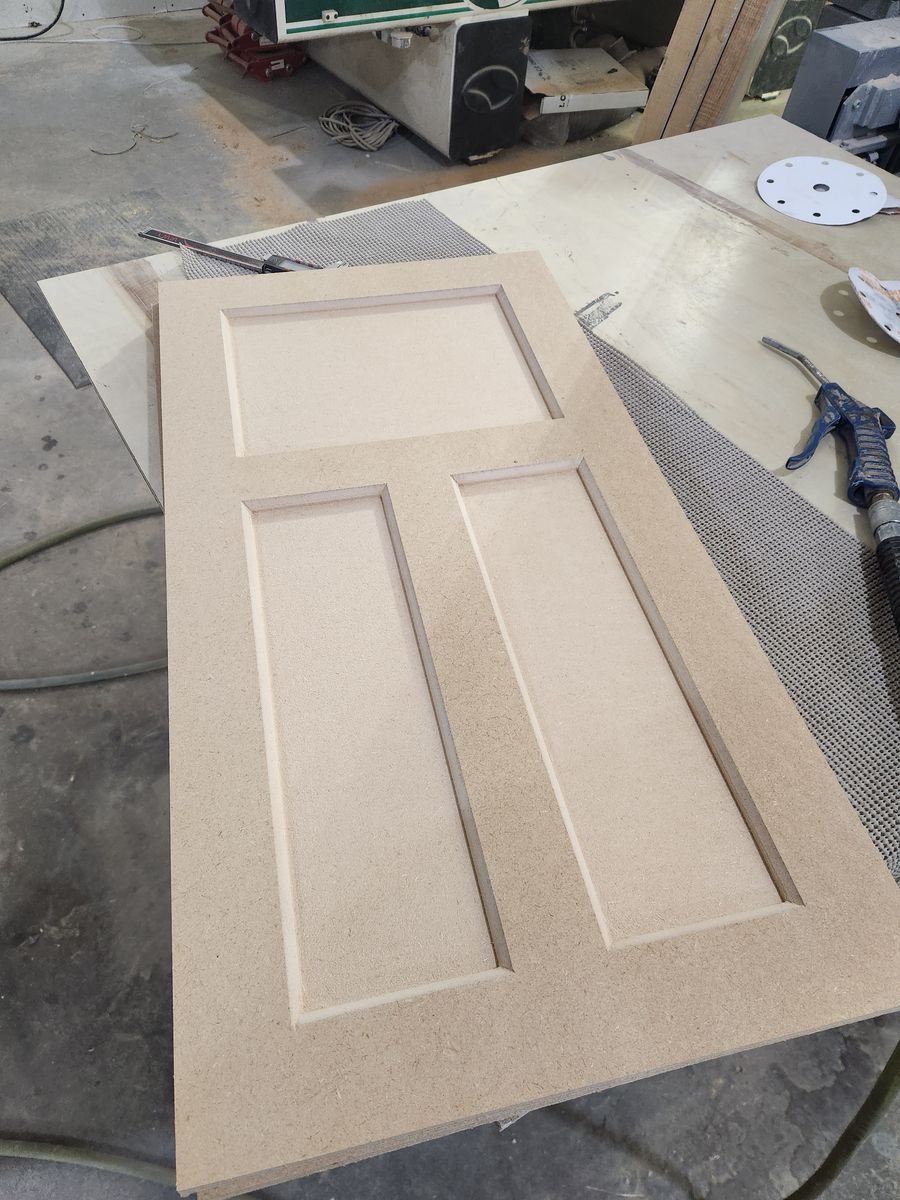
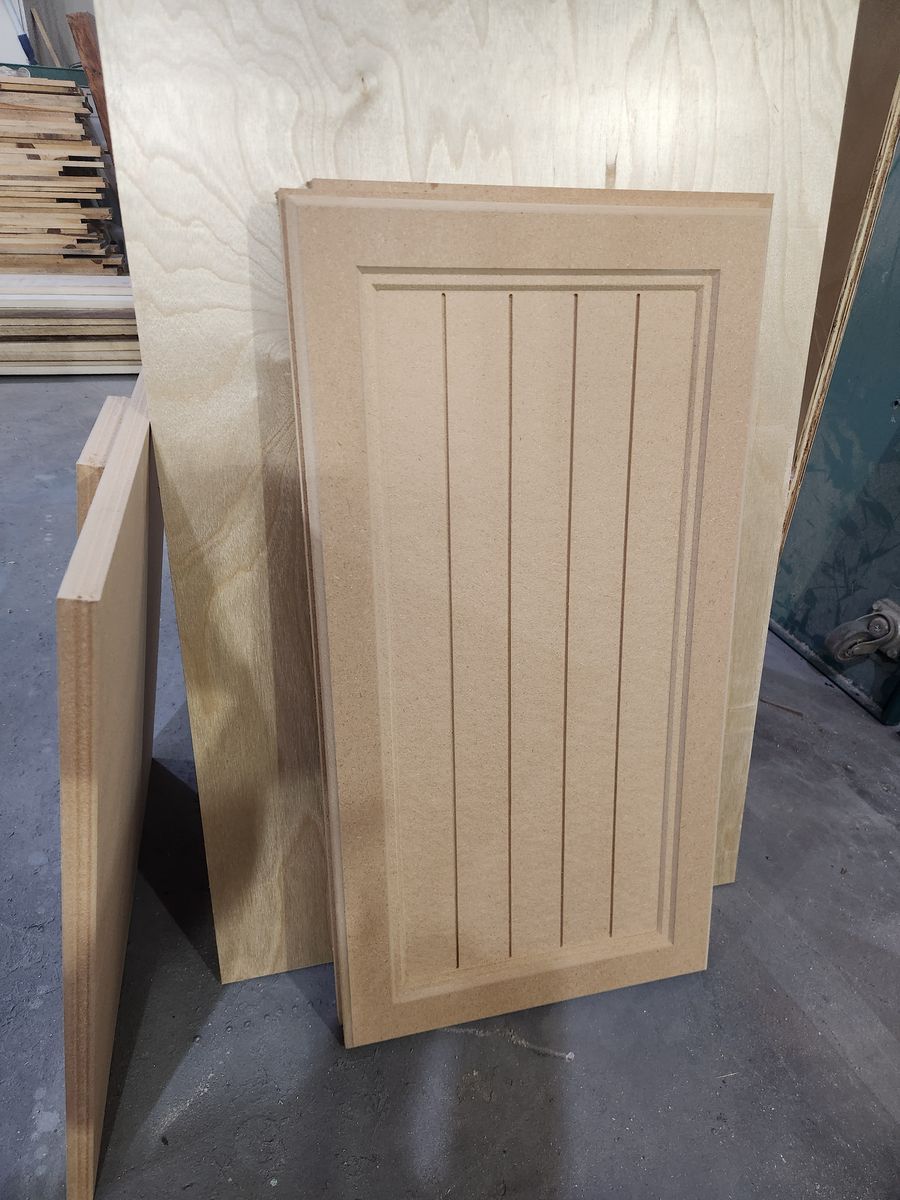
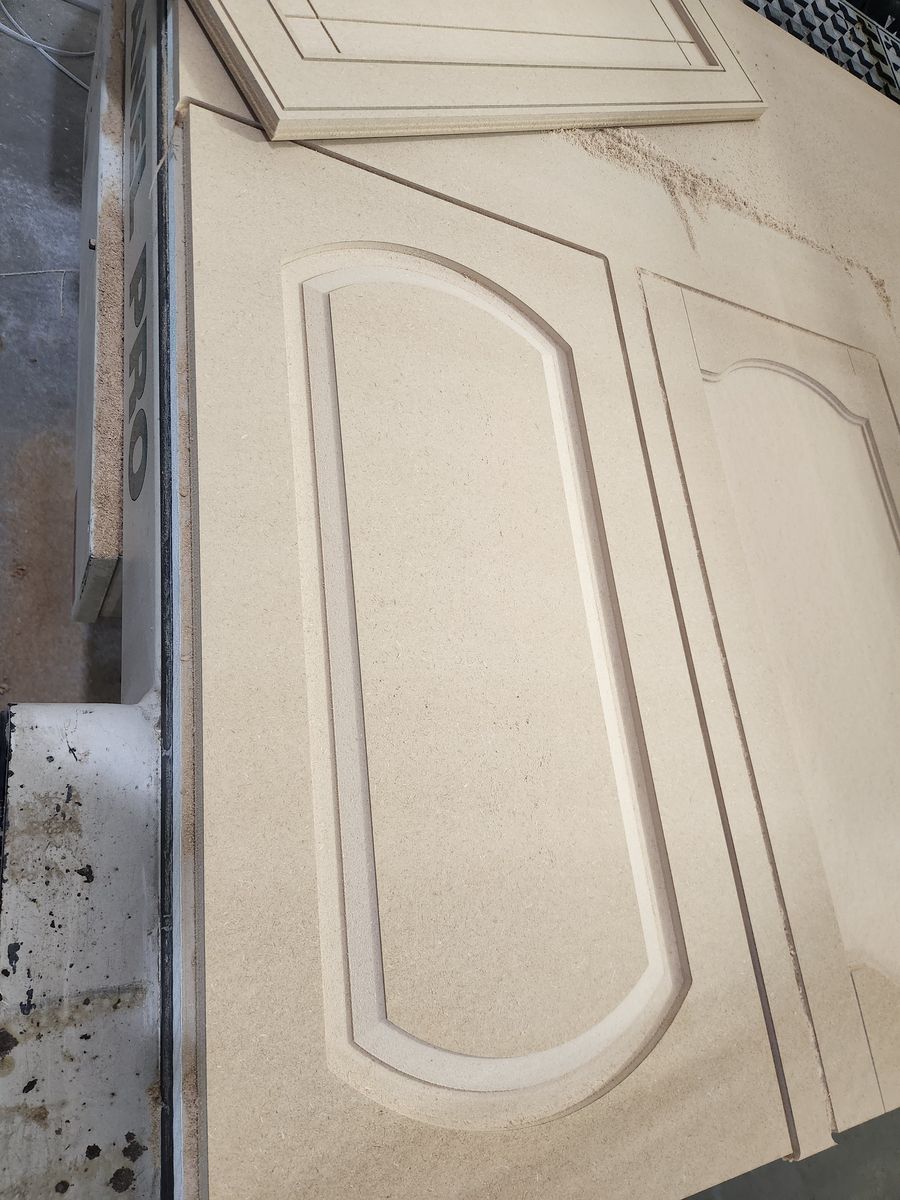
Every one of these is a single piece of MDF, cut on my machine.
Where DoorFORGE fits
I got tired of drawing every door by hand, so I built a tool to do the heavy lifting. DoorFORGE is built on top of VCarve Pro, and it turns a door list into cut-ready toolpaths in a few clicks.
- Thousands of unique doors. Mix and match edge, frame and panel profiles, door styles and joints. Every combination is a different door.
- Fast design in your browser. Nothing to install for the design side. Open the designer, pick a style, and see the door as you build it.
- Fully parametric. Any width, any height. Change a number and the door regenerates.
- Nesting and toolpaths done for you. Hit Save for VCarve, run DoorFORGE Import inside VCarve Pro, and your doors land nested on the sheet, toolpathed and ready to cut.
- A whole cut list at once. Batch a full kitchen across as many sheets as it takes.
Every door on this page was cut with it. DoorFORGE is built and backed by The Homestead Workshop, a woodworking shop trusted by 24,000+ followers. You're buying from a maker who runs it in production.
Try it on your own doors
The designer runs in your browser. The standard shaker door is free, no account needed.
Open the designerFrequently asked questions
What is the easiest way to make MDF cabinet doors on a CNC?
Cut each door as one solid piece of MDF. The CNC carves the panel and profile into the face and cuts the door out, so there are no rails, stiles, or glue-ups.
What's the best way to make MDF doors if I own VCarve Pro?
DoorFORGE. It was built for VCarve Pro users: you design the doors in your browser, it nests them on the sheet and builds the toolpaths, and VCarve Pro runs the job. No drawing doors by hand and no building toolpaths one door at a time.
Can you make a shaker door from one piece of MDF?
Yes. The CNC pockets out the center panel and leaves the frame standing, so once it is painted it reads like a five-piece shaker door.
What thickness of MDF is used for cabinet doors?
3/4 inch is the most common. Measure your actual sheet before cutting, because the real thickness often differs from the label.
Are one-piece MDF cabinet doors durable?
Yes, when the edges are sealed and the doors are primed and painted. MDF does not move with humidity the way solid wood does, so panels don't crack or rattle.
What software makes CNC cabinet doors for VCarve Pro?
DoorFORGE designs single-piece MDF doors in your browser, nests them on the sheet, and brings them into VCarve Pro with the toolpaths built. The standard shaker door is free.
Do I need a vacuum table to cut MDF doors?
For one-piece doors, yes. Pocketing out the panel can let a door shift or warp without strong hold-down, so a vacuum table is required for DoorFORGE.
Does DoorFORGE work in metric?
Yes. DoorFORGE works in inches or millimeters.