Making cabinet doors in VCarve Pro used to mean drawing every door, offsetting every profile, and building toolpaths one door at a time. A kitchen could eat a whole day before the machine ever turned on.
I built DoorFORGE so that part takes minutes. Here's what using it actually looks like, start to finish.
DoorFORGE is a browser-based door designer from The Homestead Workshop, with a small free gadget (a VCarve Pro plugin) that brings the doors into VCarve Pro.
Step 1: Open the designer
Go to doorforge.app/app. That's it. It runs in your web browser. No install, no account, no license key to try it.
One-time setup: your bits
Enter your bits once in Tool Setup. If you run a tool changer, add the pocket numbers too. After that, every job uses them automatically.
Step 2: Pick your door from pictures
Every profile is shown as a picture, so you're choosing what the door looks like, not typing settings. Pick one from each set:
- Door style: single panel, center rail, 1-over-2, arched or scalloped top
- Edge: square, roundover, chamfer, bead and more
- Frame: shaker, beveled, ogee, beaded
- Panel: flat, beadboard, cove, v-groove, raised
- Joints: cope-and-stick or mitered seams, so a one-piece door reads as five
The door redraws as you click, so you see exactly what you're getting before anything is cut.
Step 3: Enter your sizes
Type in the widths and heights. One door or a whole kitchen, it doesn't matter. Every door is fully parametric, so a 12" door and a 36" door both come out right with nothing to adjust.
Step 4: Save and import into VCarve Pro
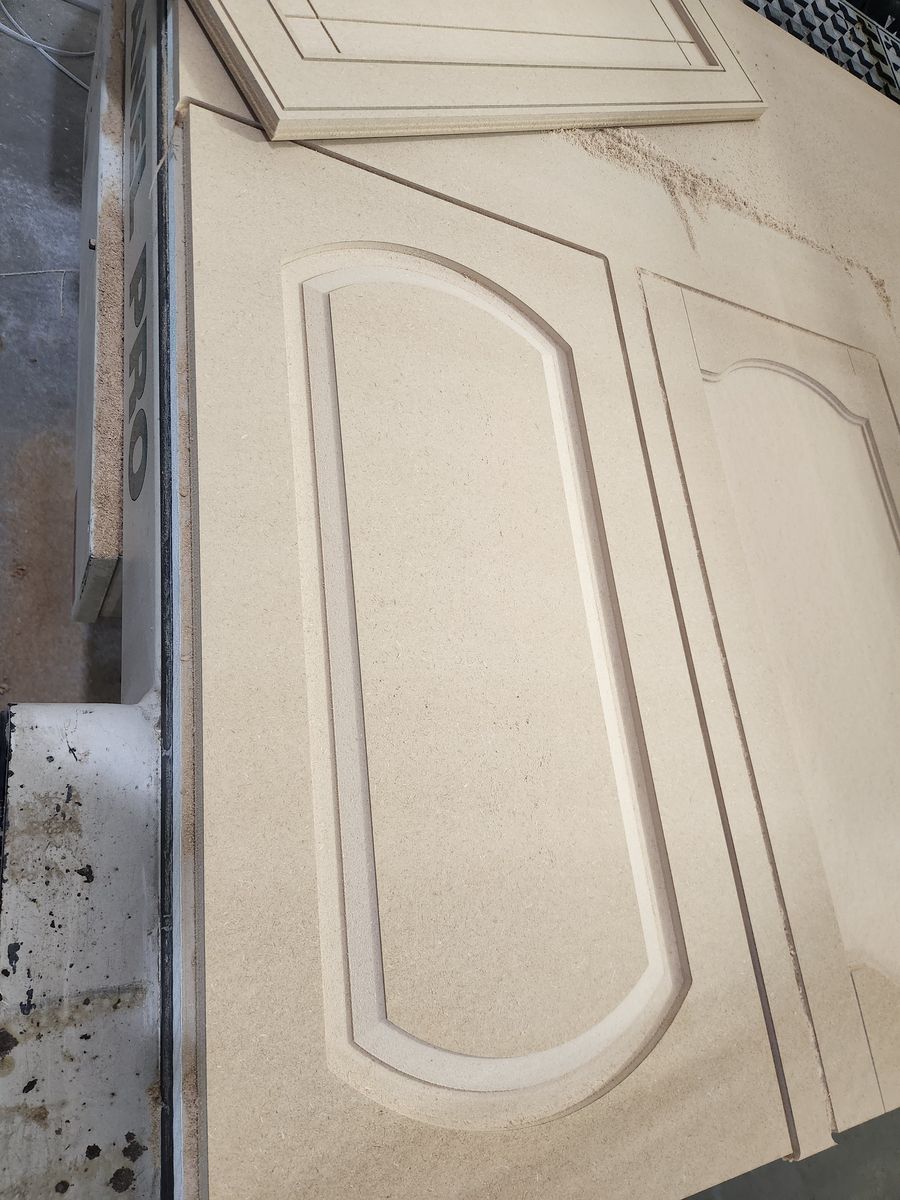
Hit Save for VCarve, then run DoorFORGE Import inside VCarve Pro. Your doors land nested on the sheet with every toolpath built and in order. A big job spreads across as many sheets as it needs.
Step 5: Cut
Run it. That's the whole workflow: open, pick, size, import, cut.
Watch the whole thing
Here's the full walkthrough, start to finish, in one take.
What you don't have to do anymore
- Draw door outlines by hand
- Offset every frame and panel line
- Build toolpaths door by door
- Re-do it all when the customer changes a size
- Clean up vectors so the toolpaths calculate
- Nest a kitchen's worth of doors yourself
DoorFORGE is built on top of VCarve Pro and backed by The Homestead Workshop, a woodworking shop trusted by 24,000+ followers. I run it in my own shop.
See how easy it is
Open the designer and build a door in your browser. The standard shaker door is free, no account needed.
Open the designerFrequently asked questions
Is there a VCarve Pro plugin for making cabinet doors?
Yes. DoorFORGE, from The Homestead Workshop, pairs a browser-based door designer with a small VCarve Pro gadget that imports the doors nested on the sheet with toolpaths built.
How do you make cabinet doors in VCarve Pro without drawing each one?
Use a door generator like DoorFORGE. You pick the profiles and enter sizes in your browser, then import into VCarve Pro, and the doors arrive nested on the sheet with the toolpaths built.
Is DoorFORGE hard to learn?
No. If you can enter a door size and pick a profile from a picture, you can use it. There's no drawing and no toolpath setup per door, and the full walkthrough video is on this page.
Do I have to install anything to try DoorFORGE?
No. The designer runs in your web browser with no install and no account. You only install the small free import gadget in VCarve Pro when you're ready to cut.
Can I cut a whole kitchen of doors at once?
Yes. Enter the whole door list and DoorFORGE batches it across as many sheets as it takes.
What does DoorFORGE cost?
The standard shaker door is free. The full profile library is $499 one-time with a year of updates, or $39 a month, and covers up to 3 machines.
New to cutting MDF doors? Start with the easiest way to make MDF cabinet doors on your CNC.