In two days I'll be at Wood Pro Expo Lancaster, booth 123, October 22 and 23 at Spooky Nook Sports in Manheim, PA. If you're wearing a show lanyard, that's us too.
I didn't want to show up with the same thing you can already see online. So the designer picked up a few new tricks this week. The biggest one: you can now look at your door in 3D before you cut it.
Turn the door and zoom into the profiles
Pick a door in the designer and click 3D. Drag to turn it, scroll or pinch to zoom, right-drag to slide it, and double-click to put it back.
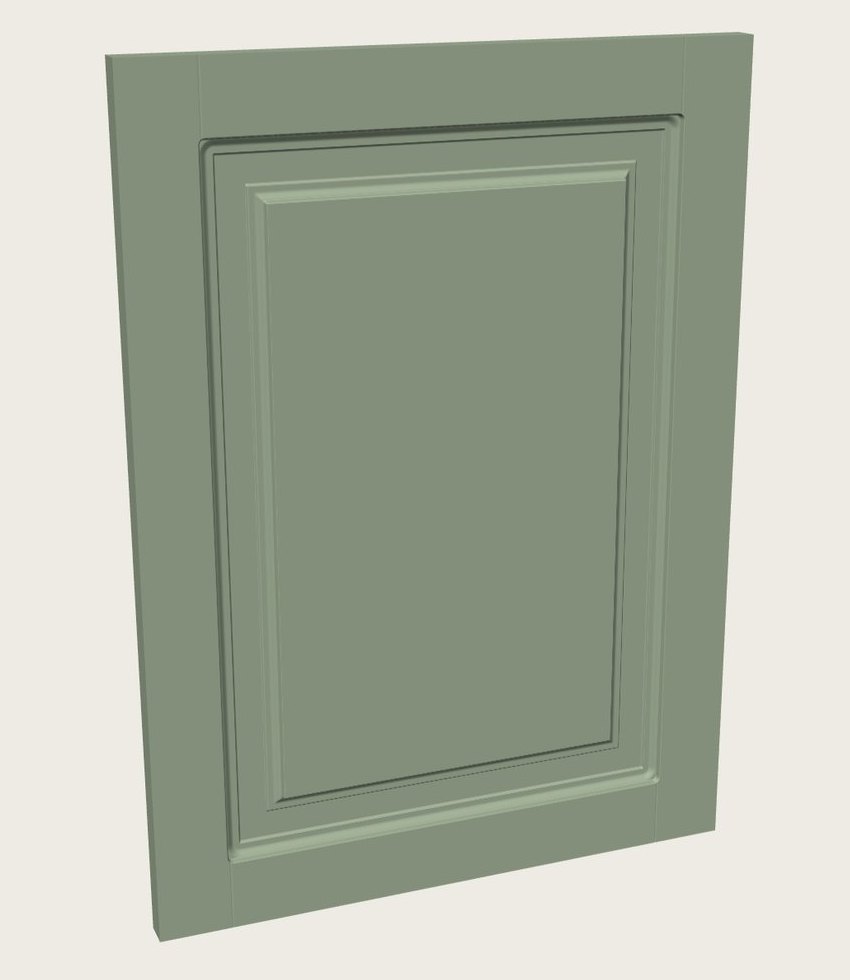
This isn't a picture someone drew. The 3D door is built from the same toolpaths that go to VCarve Pro, with each bit's shape cut at its depth. So when you zoom into a corner, you're looking at what the bits will leave: the radius in the inside corners, where the frame meets the panel, and the fake joint lines.
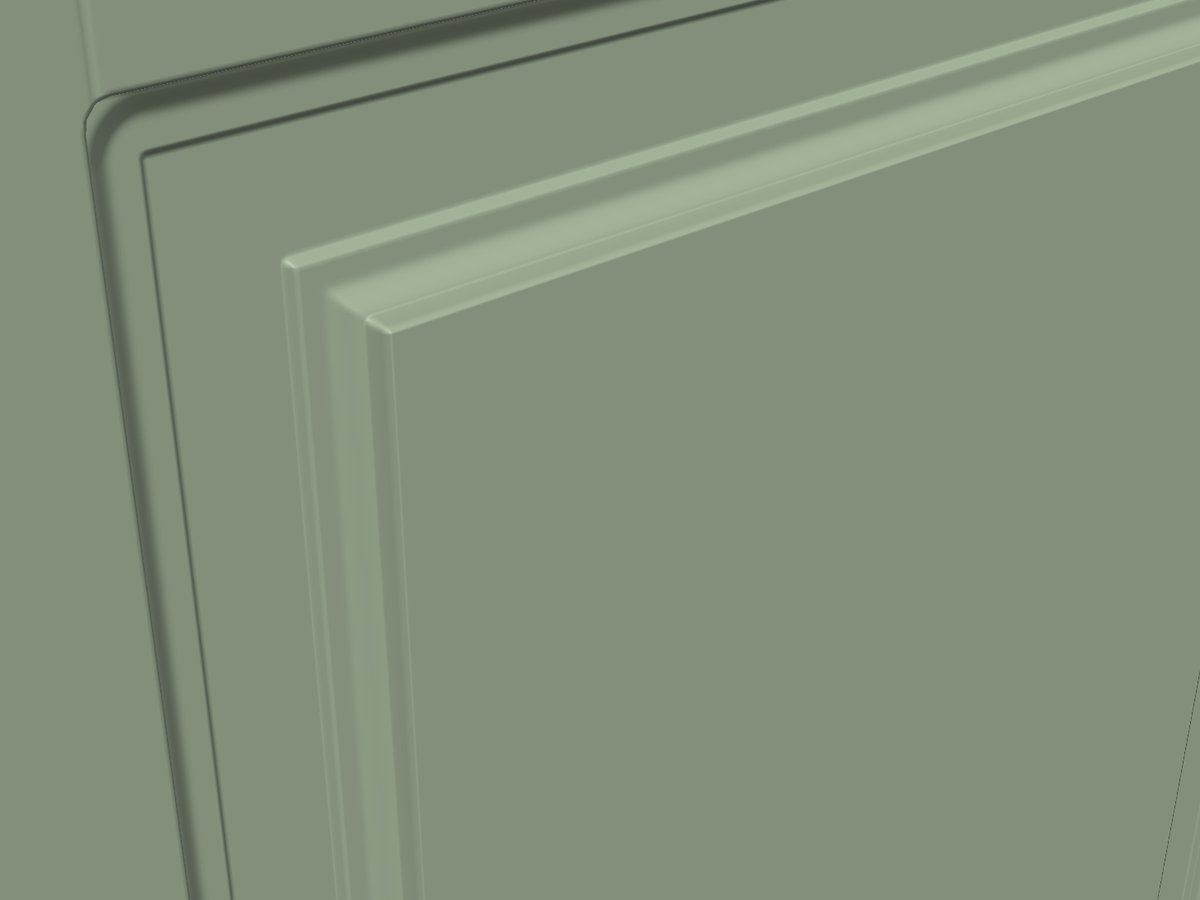
It's still a preview. When you try a new profile, new bits or new MDF, cut one test door before the whole job. (Here's how I check a new profile before I cut.)
Change the color
Under the 3D door there's a row of quick colors (primed, white, gray, sage, navy and black) and a box to pick any color you want. A painted color shows the shadows in the profiles better than plain white, and a customer can see their door in their color. The color is just for the screen. It never changes the job you send to VCarve.
The rest of what's new this month
- Tighter corners on the Simple Ogee frame. A 1/4" end mill pass after the ogee takes the top of each inside corner from a 3/8" radius to 1/8", using the same bit as the cutout.
- Tips behind the ? button. Click the ? at the top of the designer for the setup and render tips.
- Wainscot and slat wall panels. Lay out a whole wall and DoorFORGE builds the panels. Wall panels come with a DoorFORGE license. More in the wall panel post.
- Inches or millimeters, your pick.
Come see it at booth 123
Bring the door you've been wanting to make. We'll build it in the designer, turn it around in 3D, and talk through how it goes from the browser into VCarve Pro and onto your machine. If you just want to see how one-piece MDF doors work on a CNC, stop by for that too.
October 22-23, 2026 · Spooky Nook Sports, Manheim, PA · Booth 123
DoorFORGE is built on top of VCarve Pro and backed by The Homestead Workshop, a woodworking shop trusted by 24,000+ followers. I run it in my own shop.
Can't make it to Lancaster?
Open the designer and try the 3D view now. The standard shaker door is free, no account needed.
Open the designerFrequently asked questions
Can I see a cabinet door in 3D before I cut it?
Yes. In the DoorFORGE designer, pick your door and click 3D. You can turn it, zoom into the corners and slide it around to see how the edge, frame and panel profiles look together.
Is the DoorFORGE 3D view accurate?
It is built from the same toolpaths that go to VCarve Pro, cut with each bit's shape at its depth. It is a preview, not a promise, so still cut a test door when you try a new profile or new bits.
Can I change the color of the door in the 3D view?
Yes. Pick one of the quick colors or choose any color you like. It only changes how the door looks on screen. It never changes the job you send to VCarve.
Where is DoorFORGE at Wood Pro Expo Lancaster?
Booth 123, October 22-23, 2026, at Spooky Nook Sports in Manheim, Pennsylvania. DoorFORGE is also supplying the show lanyards.
Do I need special software to use the DoorFORGE designer?
The designer runs in your web browser. To cut the doors you need VCarve Pro; save the job, then run DoorFORGE Import in VCarve.
More on the show: DoorFORGE at Wood Pro Expo Lancaster, and what ShopSabre said about it.